
If you’re searching for clear answers in the ongoing controller vs keyboard mouse gaming debate, you’re not alone. With competitive gaming on the rise and hardware evolving faster than ever, choosing the right input setup can directly impact your performance, comfort, and overall experience. Whether you’re building a new gaming rig, optimizing your console setup, or switching to Linux for better control and customization, understanding the strengths and trade-offs of each option is essential.
This article breaks down the real differences that matter: precision, responsiveness, ergonomics, game compatibility, and optimization potential. Instead of repeating surface-level arguments, we analyze performance data, competitive trends, and practical gameplay scenarios across multiple genres.
You’ll walk away with a clearer understanding of which setup aligns with your playstyle, your system, and the types of games you actually play—so you can make a confident, informed decision.
Choosing Your Weapon: The Ultimate Input Showdown
The argument over controller vs keyboard mouse gaming refuses to die.
Both sides claim superiority—and both have receipts.
Precision favors mouse aim and hotkeys; Comfort favors analog sticks and couch sessions.
Critics argue keyboards create unfair skill gaps. Others insist aim assist props up controller players.
The data shows genre matters most:
- FPS and RTS reward accuracy.
- Racing and action-adventure reward ergonomics.
Speculation: as crossplay grows, adaptive inputs may blur lines.
Still, if performance is king, keyboard and mouse lead competitively. For relaxation, controllers win. Choose accordingly.
The Case for the Controller: Comfort and Intuitive Control
Ergonomics and Comfort
Controllers are built for the LEAN-BACK experience. Instead of hunching over a desk, your arms rest naturally at your sides, reducing wrist extension and forearm strain during long sessions. Ergonomics (the science of designing tools to fit the human body) matter: sustained keyboard use has been linked to repetitive strain injuries (NIOSH). A well-shaped gamepad distributes pressure across both hands, which can mean fewer aches after a three-hour grind (yes, even during that “just one more match” moment).
Analog Movement and Precision Driving
Analog sticks register variable input, meaning movement isn’t just on or off. Slight tilt equals a slow walk; full tilt equals a sprint. In racing titles, analog triggers allow gradual acceleration and braking—crucial for traction control in sims like Forza. This nuanced input is a key differentiator in controller vs keyboard mouse gaming.
Accessibility and Simplicity
Most controllers are plug-and-play via USB or Bluetooth, with native support in Windows, Steam Input, and consoles. No key mapping spreadsheets. Lower barrier to entry. PRO TIP: Check in-game controller presets before customizing.
Haptic Feedback and Immersion
Modern haptics (advanced vibration motors and adaptive triggers) simulate recoil, road texture, or tension on a bowstring. It’s tactile storytelling—almost sci-fi level immersion (very Ready Player One).
Where the Controller Falls Short
The Aiming Deficit is the most obvious drawback. In first-person shooters, precision and speed matter. A flick shot—rapidly snapping your aim to a target—feels natural with a mouse because it tracks one-to-one with your hand. Try that on a thumbstick and you’ll hear what one competitive player told me: “I’m fighting the stick more than the enemy.” Tracking, or smoothly following a moving target, is similarly tougher due to limited range and slower acceleration.
Then there’s input depth. A standard controller offers a finite number of buttons, while a keyboard provides dozens of programmable keys. In MMOs or RTS titles, where abilities, macros, and camera controls stack up fast, that limitation shows. As one guild leader put it, “I ran out of buttons before I ran out of spells.”
Menu navigation and typing? Clunky. Inventory management drags, and in-game chat feels like texting with oven mitts. In the controller vs keyboard mouse gaming debate, efficiency often tips the scale.
The Keyboard & Mouse Advantage: Speed and Unmatched Precision
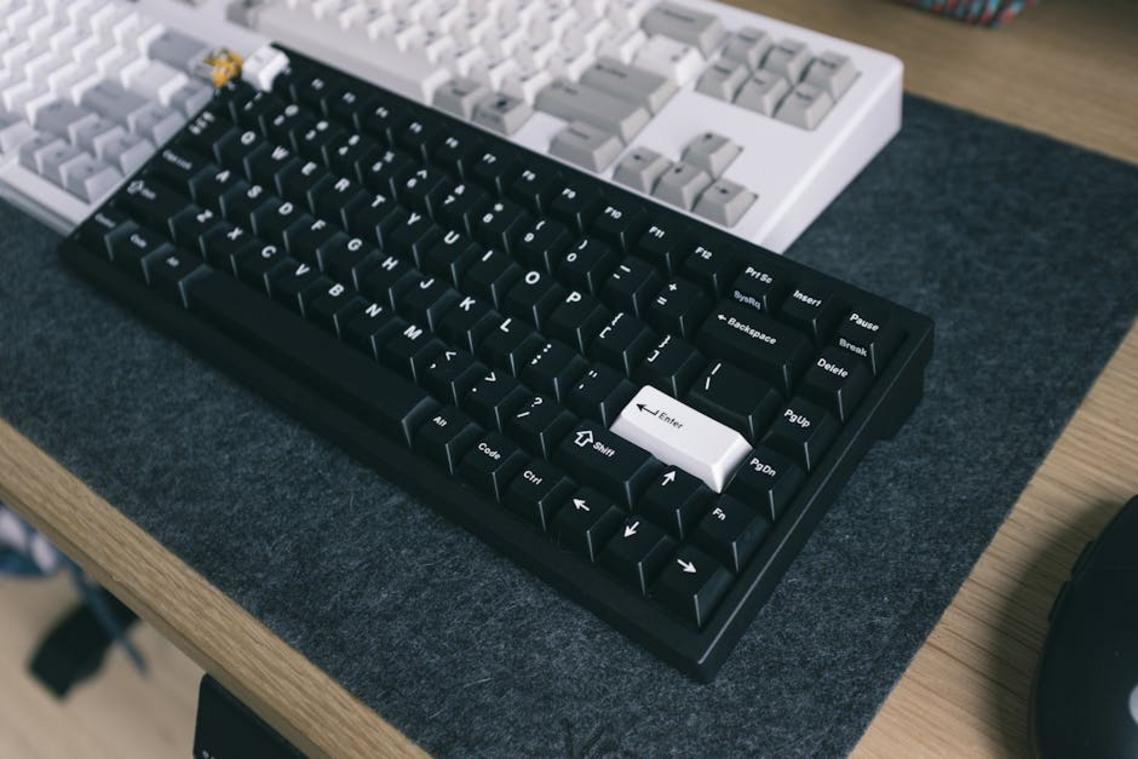
First, let’s talk pinpoint accuracy. A mouse offers true 1:1 input, meaning your on-screen movement mirrors your hand movement exactly. No aim acceleration. No thumbstick drift. Just pure translation of motion. In fast shooters, that makes flick shots and micro-adjustments not just possible—but repeatable. Some argue aim assist levels the field. Fair point. But even strong aim assist can’t replicate the raw, physically precise control of a high-DPI sensor (pro tip: lower DPI with higher in-game sensitivity often improves consistency).
Next, customization. Keyboard and mouse setups are basically macro heaven. You can rebind every key, create multi-step commands, and fine-tune DPI settings to your exact preference. In controller vs keyboard mouse gaming debates, this flexibility is often the mic-drop moment. Want one key to crouch, reload, and ping? You can. Should you? That’s between you and your conscience.
Then there’s speed of command. In RTS and management sims, rapidly selecting units or navigating dense UIs is critical. Try doing that with a thumbstick (we’ll wait).
Finally, the skill ceiling. Yes, the learning curve is steeper. However, once mastered, competitive precision reaches extraordinary levels—something even the console vs pc gaming performance comparison explained debate frequently highlights.
It’s easy to romanticize the RGB-lit battle station, but the desk-bound setup has real drawbacks.
-
The Ergonomic Toll. Without a properly adjusted chair, correct desk height, and a neutral mouse grip, you’re inviting RSI—Repetitive Strain Injury, a condition caused by repeated stress on muscles and tendons. Studies from OSHA note poor ergonomics increase risk of wrist and back pain. I’ve felt that dull lower-back ache after long raids (not exactly a victory screen).
-
Steeper Learning Curve. For newcomers, memorizing WASD and complex keybinds can feel like learning a new language. Controller vs keyboard mouse gaming debates aside, muscle memory doesn’t appear overnight.
-
Setup Complexity and Cost. You need dedicated space, a quality mousepad, and often premium mechanical keyboards and high-DPI mice. It adds up fast. In my view, the performance gains are great—but the barrier to entry is undeniably higher for many aspiring competitive players today overall.
The Deciding Factor: Which Input Excels by Genre?
When debating controller vs keyboard mouse gaming, genre context matters. In esports-heavy FPS and RTS titles—think Counter-Strike 2 at IEM Katowice or StarCraft II ladder grind—precision and high DPI flick shots give keyboard and mouse the edge. Racing sims like Assetto Corsa, FIFA weekends, and action-RPG loot runs favor controllers for analog triggers and couch comfort. Platformers and fighting games lean on the D-pad for frame-perfect inputs (Street Fighter players swear by it). Third-person shooters and hybrids? It’s situational; many PC builds even hot-swap mid-match based on regional tournament meta trends today.
Choosing between controller vs keyboard mouse gaming isn’t about crowning a winner. Controllers deliver ergonomic comfort and nuanced analog movement—perfect for cruising through open-world epics (yes, even those 80-hour RPG marathons). Keyboard and mouse setups offer razor-sharp precision and faster inputs, which is why competitive shooters and RTS titles lean that way.
Some argue you should master one input and ignore the other. But that’s like only owning sneakers or dress shoes.
- Relaxing, story-driven games? Grab a controller.
- Competitive, twitch-heavy matches? Go KBM.
Pro tip: base primary pick on most-played genre, but keep both nearby to level versatility.
Level Up Your Gaming Setup Today
You came here looking for clarity on controller vs keyboard mouse gaming, and now you have a clear understanding of how each option impacts precision, comfort, reaction time, and overall performance. Whether you value pinpoint accuracy in competitive shooters or relaxed control in story-driven adventures, you can now confidently choose the setup that fits your playstyle.
The real frustration isn’t just picking a device — it’s losing matches, missing shots, or feeling limited by your setup. The right input method eliminates that bottleneck and unlocks smoother gameplay, faster reactions, and a more competitive edge.
Now it’s time to take action. Evaluate your current setup, test sensitivity settings, optimize your hardware, and fine-tune your configuration for peak performance. If you’re serious about gaining an edge, explore our in-depth optimization guides and system setup tips trusted by thousands of competitive and casual gamers alike.
Stop letting the wrong setup hold you back. Upgrade your configuration, apply the right tweaks today, and start playing at the level you know you’re capable of.