
If you’re here, you’re likely trying to figure out whether building or buying a gaming PC is truly worth the investment—and how it stacks up against consoles in today’s market. With hardware prices fluctuating, new GPUs launching, and next-gen consoles offering competitive performance, making the right decision isn’t as simple as it used to be.
This article delivers a clear, data-driven pc gaming cost comparison, breaking down upfront expenses, long-term value, upgrade paths, and performance per dollar. We’ll also explore how factors like game pricing, online services, hardware longevity, and optimization—especially for Linux-compatible setups—affect the real cost of ownership.
Our analysis is grounded in current market pricing, performance benchmarks, and hands-on system optimization insights. Instead of recycled talking points, you’ll get practical breakdowns that help you understand where your money actually goes—and which setup makes the most sense for your gaming goals.
Decoding the True Price Tag of PC Gaming
PC gaming doesn’t have one scary price tag—it has layers. Once you see them clearly, you gain control. That’s the real benefit: you decide what performance is worth to you.
A smart pc gaming cost comparison shows three main tiers:
- Entry-level (1080p): Smooth gameplay without max settings.
- Mid-range (1440p): Better visuals and longevity.
- High-end (4K): Ultra settings, ray tracing, future-ready power.
Beyond hardware, factor in peripherals, electricity, and upgrades. Understanding these pieces helps you avoid overspending, prioritize performance gains, and build a system that fits your goals—not someone else’s highlight reel.
The Core Investment: The Gaming Rig Itself
I still remember booting up my first budget build and holding my breath as Fortnite loaded (you never forget that first fan spin-up). That moment taught me something important: your gaming PC isn’t just hardware—it’s the core investment that determines everything else about your setup. So let’s break this down by realistic budget tiers and what you can actually expect.
The Entry-Level Gateway (~$600–$800)
This is where most gamers start—and honestly, it’s more powerful than people think. With a target of 1080p at 60+ FPS in titles like Fortnite, Valorant, and Apex Legends, this tier delivers smooth, competitive gameplay without draining your wallet.
The key is prioritizing a strong entry-level GPU like the RTX 4060 or RX 7600 paired with a capable CPU such as the Ryzen 5 5600. The GPU (graphics processing unit) handles visual rendering, while the CPU (central processing unit) manages overall system instructions—both must stay balanced to avoid bottlenecks.
To save money, stick with the stock CPU cooler, choose a budget case, and start with 16GB of DDR4 RAM. (Pro tip: 16GB is still the sweet spot for modern gaming.)
Some argue entry-level builds become obsolete too quickly. However, for esports-focused players, this tier can remain viable for years with minor upgrades.
The Mid-Range Sweet Spot (~$1,000–$1,500)
If you’ve ever upgraded from entry-level to mid-range, you know the jump feels dramatic. Suddenly, high-refresh 1080p or smooth 1440p gaming becomes effortless.
Here, you’re looking at GPUs like the RTX 4070 or RX 7800 XT, a faster CPU, and a 1TB NVMe SSD. An NVMe SSD is a high-speed storage drive that drastically reduces load times (goodbye endless respawn screens).
Critics might say this tier is overkill for casual players. Yet in any pc gaming cost comparison, this level consistently delivers the best performance-per-dollar and longer upgrade runway.
The High-End Enthusiast Build ($2,000+)
Finally, there’s the no-compromise route: RTX 4080/4090-class GPUs, high-core-count CPUs, 32GB+ DDR5 RAM, and premium cooling. This tier targets ultra settings at 1440p high refresh or smooth 4K gaming.
Is it necessary? Not always. But for creators, competitive gamers, or anyone chasing maximum visual fidelity (yes, ray tracing included), it’s an investment in both power and longevity.
Beyond the Tower: Factoring in Essential Peripherals

When people budget for a gaming setup, they often focus entirely on the tower. But a PC without peripherals is like a sports car without tires (impressive, but not going anywhere). To make smart decisions, you need to understand what each component actually does—and why it matters.
The Monitor (The Window to Your Game):
The monitor determines what you see. Resolution refers to pixel count (1080p, 1440p, 4K), while refresh rate—measured in Hertz (Hz)—tells you how many times the screen updates per second. Higher refresh rates mean smoother motion.
- Budget ($100–$200): 1080p at 75Hz–144Hz. Solid for entry-level builds.
- Mid-Range ($250–$400): 1440p at 144Hz+. Often called the “sweet spot” for clarity and performance balance.
- High-End ($500+): 4K, ultra-high refresh rates, or OLED panels for deeper contrast and richer colors.
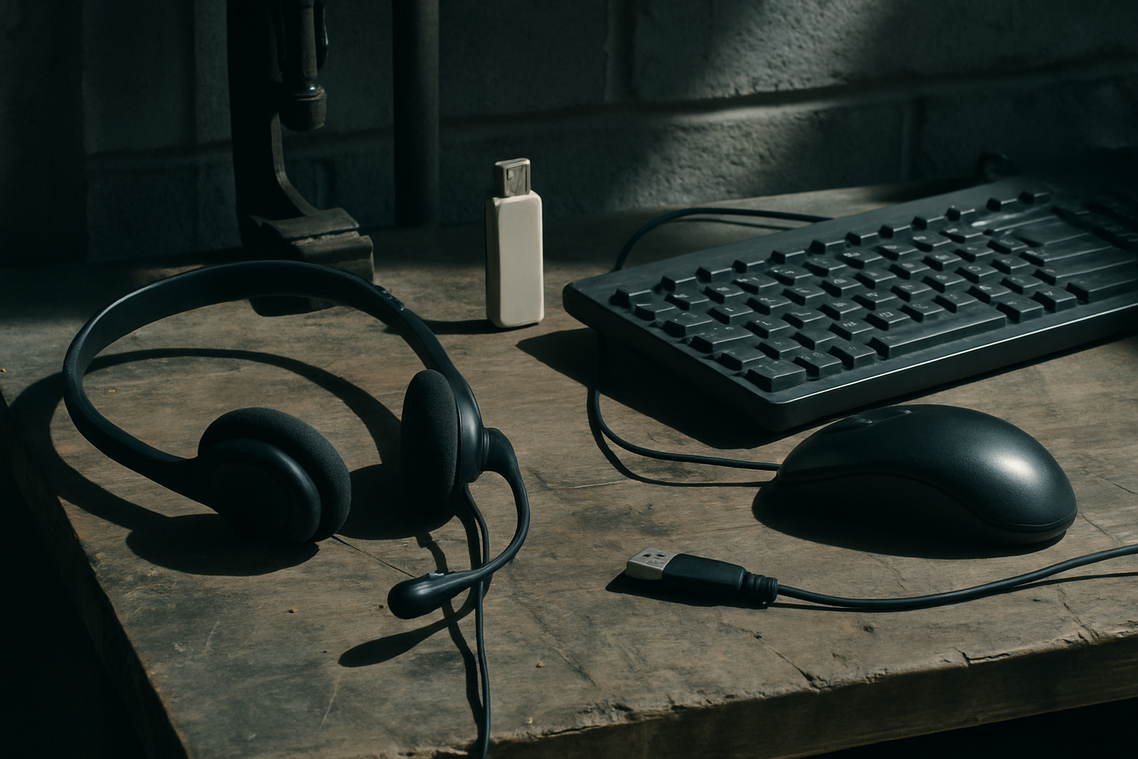
Input Devices (Keyboard & Mouse):
Mechanical keyboards use physical switches under each key for faster response and durability. Expect $50 for reliable combos, up to $300+ for esports-grade gear.
Audio (Headset/Speakers):
Clear positional audio helps in competitive games. Quality headsets typically cost $50–$150.
A proper pc gaming cost comparison should always include these essentials—not just the tower.
The Price of Play: How You’ll Actually Get Your Games
Unlike consoles, the ongoing cost of games on PC can drop dramatically. Through digital storefronts like Steam, Epic Games, and GOG, seasonal sales routinely slash prices by 50–90%, turning $60 launches into impulse buys today.
Meanwhile, subscription services such as PC Game Pass bundle hundreds of titles, including day-one releases, for a modest monthly fee—think Netflix, but for boss battles.
And then there’s the free-to-play ecosystem: Valorant, Warzone, and Path of Exile cost nothing upfront, lowering the barrier to entry.
Critics argue that microtransactions quietly inflate spending, and that’s fair. However, disciplined players can treat cosmetics as optional, not mandatory.
A true pc gaming cost comparison must factor in long-term discounts, mod support, and backward compatibility—advantages rarely highlighted in console-focused breakdowns. In fact, PC libraries carry forward indefinitely, unlike generation-locked discs.
See exclusive titles vs modding freedom what matters more.
The costs of owning a gaming PC rarely show up on the price tag.
First, upgrades matter. Thanks to modularity, you can swap a GPU or add RAM every three to four years instead of replacing the whole rig. That flexibility often wins any pc gaming cost comparison long-term.
Next, consider software. Windows is standard, but Linux offers a capable, free alternative for players willing to tweak drivers and settings.
Finally, electricity counts. A system under load draws more power than a console, though the impact is modest.
So, plan an upgrade fund, try Linux if comfortable, and budget utilities.
Your Blueprint for an Affordable PC Gaming Journey
We’ve demystified the costs, and in my view, PC gaming is one of the few hobbies that truly scales. Break expenses into the rig, peripherals, and games, and the fog lifts. A smart pc gaming cost comparison shows you don’t need flagship parts to enjoy smooth play. Some argue consoles are simpler; I think flexibility wins, especially when you upgrade gradually. (Future-you will thank you.)
• Set a firm budget ceiling.
• Track seasonal component deals.
Choose a tier aligned with your goals, plan patiently, and step into PC gaming confidently. Today.
To get a clearer picture of whether PC gaming truly drains your wallet compared to consoles, check out our analysis on the cost of various gaming setups and don’t miss our related article on how Pickleballbrackets set up Hearth’s console unlock to enhance your gaming experience – for more details, check out our Pickleballbrackets Set Up Hearthssconsole Unlock.
Level Up Your Setup With Confidence
You came here to finally get clarity on pc gaming cost comparison—and now you can clearly see how upfront hardware costs, long-term upgrade flexibility, performance expectations, and game pricing all stack up between PC and console. The confusion around “which is cheaper” often hides the bigger pain point: choosing the wrong platform and regretting the investment later.
The truth is, it’s not just about the price tag—it’s about value over time. A well-planned PC build can scale with your needs, deliver better performance, and unlock optimization control consoles simply can’t match. But without the right guidance, it’s easy to overspend or underbuild.
Here’s your next move: map out your performance goals, set a realistic budget, and compare lifetime upgrade costs—not just day-one pricing. If you want deeper breakdowns, optimization tips, and real-world setup advice trusted by thousands of gamers, start exploring our detailed build guides and performance comparisons now.
Stop guessing. Build smarter. Game better.

 There is a specific skill involved in explaining something clearly — one that is completely separate from actually knowing the subject. Rendric Xelvaris has both. They has spent years working with console vs pc debates in a hands-on capacity, and an equal amount of time figuring out how to translate that experience into writing that people with different backgrounds can actually absorb and use.
Rendric tends to approach complex subjects — Console vs PC Debates, Linux-Compatible Game Engines, Expert Breakdowns being good examples — by starting with what the reader already knows, then building outward from there rather than dropping them in the deep end. It sounds like a small thing. In practice it makes a significant difference in whether someone finishes the article or abandons it halfway through. They is also good at knowing when to stop — a surprisingly underrated skill. Some writers bury useful information under so many caveats and qualifications that the point disappears. Rendric knows where the point is and gets there without too many detours.
The practical effect of all this is that people who read Rendric's work tend to come away actually capable of doing something with it. Not just vaguely informed — actually capable. For a writer working in console vs pc debates, that is probably the best possible outcome, and it's the standard Rendric holds they's own work to.
There is a specific skill involved in explaining something clearly — one that is completely separate from actually knowing the subject. Rendric Xelvaris has both. They has spent years working with console vs pc debates in a hands-on capacity, and an equal amount of time figuring out how to translate that experience into writing that people with different backgrounds can actually absorb and use.
Rendric tends to approach complex subjects — Console vs PC Debates, Linux-Compatible Game Engines, Expert Breakdowns being good examples — by starting with what the reader already knows, then building outward from there rather than dropping them in the deep end. It sounds like a small thing. In practice it makes a significant difference in whether someone finishes the article or abandons it halfway through. They is also good at knowing when to stop — a surprisingly underrated skill. Some writers bury useful information under so many caveats and qualifications that the point disappears. Rendric knows where the point is and gets there without too many detours.
The practical effect of all this is that people who read Rendric's work tend to come away actually capable of doing something with it. Not just vaguely informed — actually capable. For a writer working in console vs pc debates, that is probably the best possible outcome, and it's the standard Rendric holds they's own work to.