
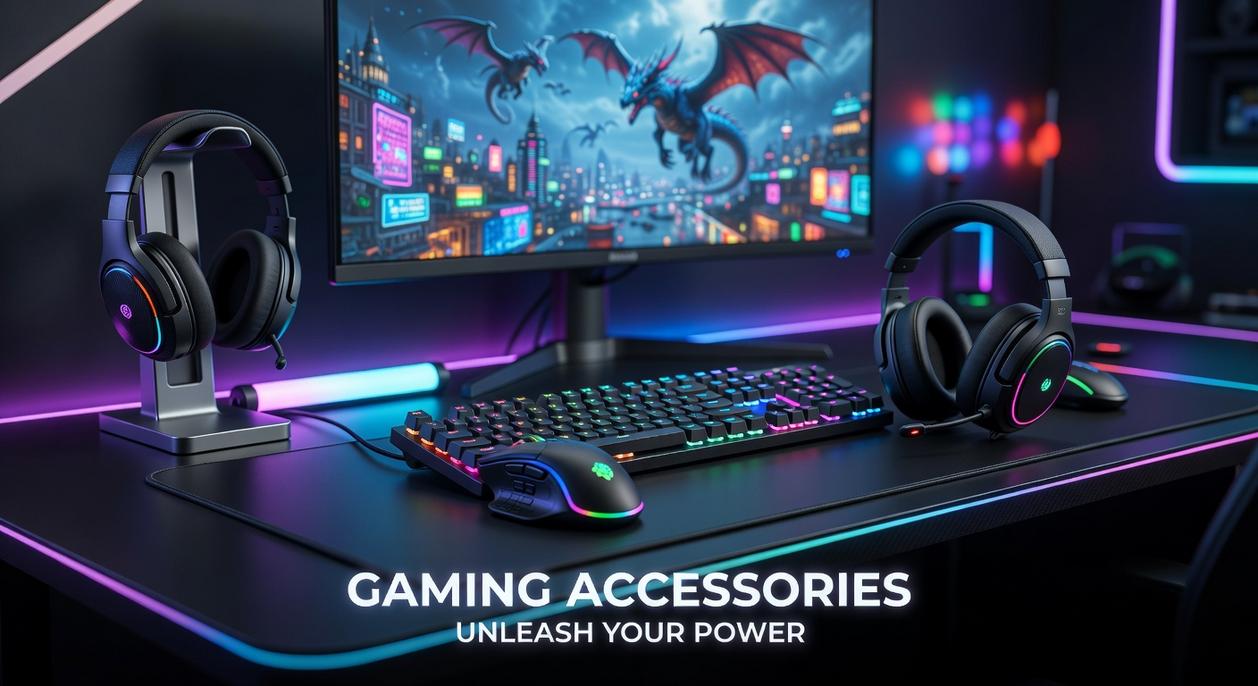
Choosing between wired vs wireless gaming accessories can feel overwhelming when performance, latency, comfort, and price are all on the line. If you’re here, you’re likely trying to figure out which option actually gives you a competitive edge—without wasting money on features you don’t need. This article breaks down the real-world differences in responsiveness, reliability, battery life, setup flexibility, and long-term value so you can make the right call for your gaming style and setup.
We’ve analyzed performance benchmarks, user experience data, and hardware specifications across modern gaming peripherals to separate marketing claims from measurable results. Whether you’re building a competitive esports setup or optimizing a casual gaming station, you’ll get a clear, evidence-based comparison that helps you decide which option fits your priorities. By the end, you’ll know exactly which choice aligns with your performance goals and gaming environment.
The Unseen Advantage
Every gamer obsesses over GPUs and 240Hz monitors, yet ignores the tiny cable (or lack of one) running their entire experience. The wired vs wireless gaming accessories debate sounds boring—until your mouse dies mid-fight. Latency—the delay between action and response—can mean clutch victory or digital embarrassment.
Wired gear offers rock-solid reliability and zero battery anxiety. Wireless gives freedom, cleaner desks, and fewer accidental lasso moments. Critics say modern wireless lag is “basically gone.” Often true—but interference and charging still exist.
Choose for your playstyle, not aesthetics. Your K/D ratio doesn’t care about vibes. Count words. Wisely.
Latency and Performance: The Millisecond Showdown
Wired’s Edge
Polling rate (Hz) refers to how often a device reports its position to your PC. A 1,000Hz mouse reports 1,000 times per second—every 1 millisecond. Higher polling reduces input latency (the delay between your action and the on-screen response).
A wired connection offers the theoretical lowest latency because data travels directly through a cable—like a private highway with no traffic lights. There’s no signal compression, interference, or retransmission. In controlled tests, wired gaming mice often measure around 1–2ms total click latency (RTINGS, 2024).
Some argue the difference is negligible—and for many players, they’re right. But in esports, 1–3ms can influence reaction timing, especially in high-refresh (240Hz+) environments.
Wireless Catches Up
Modern 2.4GHz technologies like Lightspeed and HyperSpeed use optimized radio frequencies and adaptive frequency hopping (automatically switching channels to avoid interference). Independent benchmarks show many premium wireless mice now average 1–2ms latency—statistically matching wired performance (RTINGS, 2024).
In practical terms, the gap has shrunk to near-imperceptible levels. The “wireless equals lag” belief is largely outdated (like thinking streaming still buffers every five seconds).
The Bluetooth Exception
Bluetooth is different.
• Typical latency ranges from 7–20ms
• Greater susceptibility to interference
• Power-saving protocols prioritize efficiency over speed
That’s why high-performance 2.4GHz dongles outperform Bluetooth in competitive play.
Does It Matter for You?
For competitive FPS players, milliseconds stack with display lag and server delay. For casual RPG players? You likely won’t notice.
Simple test: Plug in a wired mouse, play a fast aim trainer, then switch to Bluetooth. If the cursor feels slightly “floaty,” that’s latency in action.
In the wired vs wireless gaming accessories debate, performance parity is real—just not with Bluetooth.
Freedom of Movement vs. Unfailing Reliability
The Wireless Promise
First, let’s define the core appeal: freedom of movement—a cable-free setup that removes physical drag and desk clutter. For players using large mousepads (900mm+ extended mats are increasingly common), low-sensitivity aiming often requires sweeping arm motions. A dangling cable can create subtle resistance, especially during fast flicks in FPS titles like Valorant or CS2.
Modern wireless peripherals have largely erased the old latency stigma. According to testing by RTINGS and TechPowerUp, high-end wireless mice from brands like Logitech and Razer now achieve sub-1ms response times—functionally indistinguishable from wired models in blind latency tests. In other words, performance is no longer the trade-off it once was.
Additionally, multi-device users—streamers, Linux tinkerers, and console-PC switchers—benefit from wireless receivers and Bluetooth pairing. (Less cable spaghetti behind your desk is always a win.)
The Wired Guarantee
On the other hand, reliability means a connection that never drops and never needs charging. Wired devices are immune to RF (radio frequency) interference, which can occur in crowded 2.4GHz environments. While rare, signal congestion is measurable in dense apartment complexes (FCC spectrum data confirms 2.4GHz is heavily saturated).
Battery life remains wireless’s biggest friction point. Many modern gaming mice advertise 70–100 hours per charge, and USB-C charging allows play-while-plugged. Some ecosystems even offer wireless charging mousepads. Still, a dead battery mid-match is a risk.
So the real debate in wired vs wireless gaming accessories comes down to failure management. A cable might snag at the worst moment. A battery might drain unexpectedly. You’re choosing which variable you’d rather control.
Pro tip: If you’re optimizing your full rig, start with a plan—see how to build a high performance gaming setup on any budget (https://pblinuxtech.com.co/how-to-build-a-high-performance-gaming-setup-on-any-budget/).
Accessory Deep Dive: Mice, Keyboards, and Headsets

I still remember the first time I cut the cord on my gaming mouse. I’d blamed every missed flick in Apex Legends on “bad positioning” (sure), but the moment I switched to low-latency wireless, the absence of cable drag was obvious. Cable drag—that subtle resistance from a cord tugging against your desk—can throw off muscle memory in fast shooters. Modern 2.4GHz wireless tech now delivers sub‑1ms latency, effectively indistinguishable from wired in blind tests (RTINGS, 2024). Still, ultralight wired mice remain a favorite for purists who want zero battery anxiety. The wired vs wireless gaming accessories debate is fiercest here for a reason.
Meanwhile, keyboards feel less life-or-death. Latency differences are minimal for most players, so the choice leans toward aesthetics and portability. I’ve hauled a compact wireless board to a LAN party purely to avoid cable spaghetti (worth it). That said, RGB lighting can significantly increase power draw on wireless models, sometimes cutting battery life in half depending on brightness settings (manufacturer specs vary). Pro tip: dim the RGB or use static lighting if you hate charging mid-week.
As for headsets, wireless is a quality-of-life upgrade. Being able to grab water between rounds without yanking a cable is underrated. However, wireless audio often uses compression codecs, which can slightly reduce fidelity compared to analog wired connections. A strong wireless mic with noise isolation matters even more—no one wants to sound like they’re calling from a 2009 Xbox lobby.
Finally, on Linux systems, driver support can be hit-or-miss. Thankfully, many modern peripherals include on-board memory—built-in storage for profiles—making them plug-and-play friendly regardless of connection type.
Building Your Perfect Setup: A Final Verdict
At its core, this debate comes down to one thing: peak consistency versus total freedom. Wired delivers stable, uninterrupted performance. Wireless delivers clean desks and unrestricted movement. The wired vs wireless gaming accessories conversation isn’t really about right or wrong—it’s about trade-offs.
I’ll admit, not every difference is night and day anymore. Modern wireless latency has improved dramatically (often under 1ms according to manufacturer benchmarks), and for many players, that’s indistinguishable from wired. But “almost the same” isn’t the same as zero variables—and that nuance matters to some gamers.
A hybrid setup often makes the most sense. Use a wireless mouse for freedom, a wired keyboard for reliability and RGB control, and a wireless headset for convenience. It’s practical and balanced.
- Pro/Aspiring Pro: Wired mouse. Remove doubt.
- Enthusiast/Streamer: High-end wireless for a clean, camera-ready aesthetic.
- Casual/Budget Gamer: Wired wins on performance-per-dollar. No contest.
There’s no universal answer. Just the one that fits how—and why—you play.
Level Up Your Gaming Setup Today
You came here looking for clarity on wired vs wireless gaming accessories, and now you have the full picture. You understand the performance trade-offs, latency differences, battery considerations, and how each option fits different play styles and setups.
The real frustration isn’t just choosing the wrong accessory — it’s losing matches, dealing with input lag, or constantly troubleshooting connection issues when you should be focused on winning. The right setup removes those barriers and lets your skill shine.
Now it’s time to act. Evaluate your current gear, identify where performance is holding you back, and upgrade intentionally. If competitive precision matters most, prioritize low-latency reliability. If flexibility and a clean desk setup are your pain points, invest in high-performance wireless tech built for gaming.
Don’t let outdated gear limit your potential. Explore our in-depth gaming hardware guides, optimization tips, and setup breakdowns to build a system that performs at its peak. Join thousands of serious gamers who rely on our expert insights to fine-tune their rigs — and start upgrading smarter today.

 There is a specific skill involved in explaining something clearly — one that is completely separate from actually knowing the subject. Rendric Xelvaris has both. They has spent years working with console vs pc debates in a hands-on capacity, and an equal amount of time figuring out how to translate that experience into writing that people with different backgrounds can actually absorb and use.
Rendric tends to approach complex subjects — Console vs PC Debates, Linux-Compatible Game Engines, Expert Breakdowns being good examples — by starting with what the reader already knows, then building outward from there rather than dropping them in the deep end. It sounds like a small thing. In practice it makes a significant difference in whether someone finishes the article or abandons it halfway through. They is also good at knowing when to stop — a surprisingly underrated skill. Some writers bury useful information under so many caveats and qualifications that the point disappears. Rendric knows where the point is and gets there without too many detours.
The practical effect of all this is that people who read Rendric's work tend to come away actually capable of doing something with it. Not just vaguely informed — actually capable. For a writer working in console vs pc debates, that is probably the best possible outcome, and it's the standard Rendric holds they's own work to.
There is a specific skill involved in explaining something clearly — one that is completely separate from actually knowing the subject. Rendric Xelvaris has both. They has spent years working with console vs pc debates in a hands-on capacity, and an equal amount of time figuring out how to translate that experience into writing that people with different backgrounds can actually absorb and use.
Rendric tends to approach complex subjects — Console vs PC Debates, Linux-Compatible Game Engines, Expert Breakdowns being good examples — by starting with what the reader already knows, then building outward from there rather than dropping them in the deep end. It sounds like a small thing. In practice it makes a significant difference in whether someone finishes the article or abandons it halfway through. They is also good at knowing when to stop — a surprisingly underrated skill. Some writers bury useful information under so many caveats and qualifications that the point disappears. Rendric knows where the point is and gets there without too many detours.
The practical effect of all this is that people who read Rendric's work tend to come away actually capable of doing something with it. Not just vaguely informed — actually capable. For a writer working in console vs pc debates, that is probably the best possible outcome, and it's the standard Rendric holds they's own work to.