

Gaming is evolving faster than ever, and staying ahead of the latest trends in hardware, performance optimization, and platform innovation can feel overwhelming. Whether you’re comparing console and PC performance, exploring Linux-compatible game engines, or fine-tuning your setup for maximum FPS, you’re here because you want clear, practical insights that actually improve your gaming experience.
This article dives straight into what matters most—breaking down the latest developments, including the rise of cloud gaming technology, system optimization strategies, and the real-world pros and cons behind today’s biggest gaming debates. Our analysis is grounded in hands-on testing, technical research, and up-to-date industry data, ensuring you get accurate, experience-backed information rather than recycled opinions.
By the end, you’ll have a clearer understanding of the current landscape, smarter optimization strategies, and actionable knowledge to upgrade your gaming performance with confidence.
Imagine playing the latest AAA titles at max settings on decade-old hardware. That’s the promise of cloud gaming technology, where remote data centers render frames and stream them to your screen like Netflix for games. The benefit? No $1,500 GPU required. You skip upgrades, dodge scalpers, and play anywhere with solid internet. While skeptics argue latency and compression artifacts ruin immersion, modern fiber connections and adaptive bitrate streaming minimize delays to milliseconds. Optimize results by using wired Ethernet, closing background apps, and choosing servers closest to you. The payoff is instant access, lower costs, and gaming freedom untethered everywhere.
Deconstructing the Cloud Gaming Tech Stack
The Server-Side Hardware
At the heart of cloud gaming technology sits a data center packed with virtualized gaming rigs. Instead of one PC per player, powerful server-grade CPUs pair with specialized GPUs like NVIDIA GRID to run multiple gaming instances at once. Think of it like an apartment building for games—each player rents a high-performance “unit,” but the infrastructure is shared.
Practical tip: When choosing a service, check if it lists modern GPUs (RTX-class or equivalent). Newer architectures mean better ray tracing, higher frame rates, and smoother scaling under load.
The Video Encoding Pipeline
Once gameplay renders on the server, it’s instantly captured and compressed into a video stream. This process uses codecs such as H.265 (HEVC) and AV1—algorithms that shrink video data while preserving quality. AV1, for example, can reduce bandwidth usage by roughly 20–30% compared to H.265 at similar quality levels (Alliance for Open Media).
If your stream looks blurry, try:
- Switching to a wired Ethernet connection
- Lowering resolution from 4K to 1080p
- Enabling AV1 in supported browsers
Small tweaks, big gains.
The Network and Latency Challenge
Two terms matter here: input lag (delay between pressing a button and seeing action) and network latency (time data travels to and from the server). Even 20–30 milliseconds can feel noticeable in competitive games (NVIDIA developer docs).
Action step: Run a ping test to the nearest data center. Under 20 ms is ideal.
Client-Side Software
Your device acts as a thin client, decoding video and sending inputs back. Keep drivers updated and close background apps—your browser is the final link in the performance chain.
The Performance Trade-Off: Convenience vs. Fidelity
At its best, cloud gaming technology feels almost magical. Open a browser, connect a controller, and you’re playing AAA titles on a modest laptop or even a phone (no GPU upgrade required). That accessibility is its defining strength. There’s no 80GB download, no driver conflicts, and no patch anxiety. According to Newzoo’s 2024 Global Games Market Report, over 3 billion people play games worldwide, and accessibility across devices has been a key driver of that growth. Removing hardware barriers simply expands the player base.
Cost efficiency follows naturally. A high-end gaming PC can easily exceed $1,500 upfront, with GPU upgrades alone costing hundreds every few years. By contrast, subscription-based cloud services distribute that cost over time. For casual players especially, this model makes financial sense (why buy a race car if you only drive on Sundays?).
However, the drawbacks are measurable—and significant. Internet dependency is absolute. Even minor packet loss or network jitter can cause stuttering or input drops. A 2023 IEEE study on real-time game streaming found that latency spikes above 60 milliseconds noticeably degrade user experience. In fast-paced shooters or fighting games, that’s the difference between landing a headshot and watching the respawn screen.
Moreover, latency and compression introduce unavoidable trade-offs. Even under ideal conditions, streamed gameplay typically adds 20–50ms of input lag compared to local hardware. Compression artifacts can also soften textures and introduce banding, particularly in darker scenes.
Some argue these issues are negligible for most players—and for slower-paced games, they often are. Yet for competitive titles, as explored in esports growth explained whats fueling competitive gaming, precision still reigns supreme.
Actionable Tips for a Lag-Free Cloud Experience
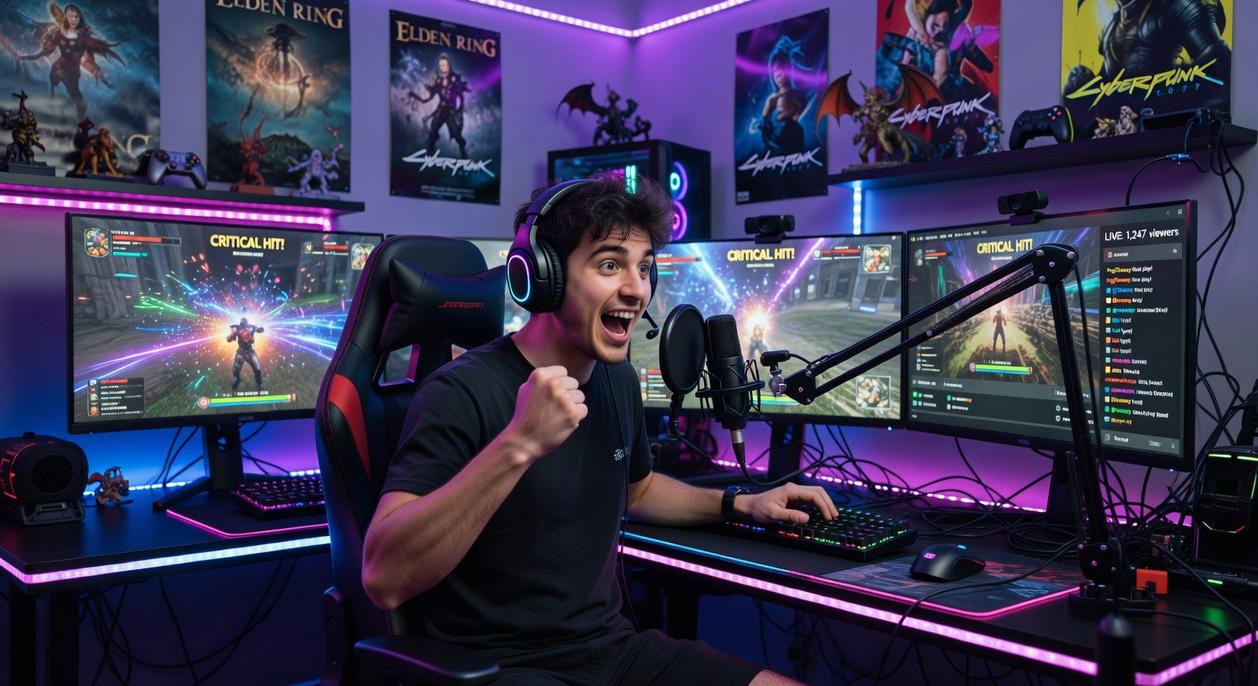
I still remember the first time my character froze mid-firefight. I blamed the game. Then the controller. Turns out, it was my Wi-Fi (humbling, honestly).
Wired Is Non-Negotiable
A wired Ethernet connection means plugging your device directly into your router with a cable. Unlike Wi-Fi, which can suffer from interference (microwaves, walls, your neighbor’s Netflix binge), Ethernet delivers stable, consistent data transfer. After I switched, my random lag spikes vanished overnight. According to the FCC, wired connections generally provide lower latency and packet loss than wireless networks (FCC.gov). For cloud gaming technology, that stability is everything.
Router Optimization (QoS)
Next, enable Quality of Service (QoS) on your router. QoS lets you prioritize gaming traffic over less urgent activity, like downloads. Once I set my console as “high priority,” gameplay smoothed out immediately. Pro tip: Reboot your router after adjusting settings to ensure changes apply cleanly.
Server Proximity Is King
Latency—often called ping—is the time data takes to travel to a server and back. The closer the data center, the lower the delay. Choosing a nearby server made a bigger difference than upgrading my internet plan (yes, really).
Test Your Network
Finally, test beyond speed. Use tools like Speedtest to check ping, jitter (variation in delay), and packet loss (missing data). Speed matters—but consistency wins games.
The Linux Advantage: Bypassing Compatibility Hurdles
Linux gamers know the drill: tweaking Proton, testing Wine builds, hoping a patch doesn’t break everything (again). But cloud gaming technology changes the equation entirely. When titles run on remote servers, compatibility layers become irrelevant—your distro just streams the game through a browser.
Modern Linux browsers like Firefox and Chromium support hardware acceleration and efficient video decoding, turning them into surprisingly powerful clients. The benefit? Smooth gameplay without driver gymnastics.
- No dependency conflicts
- No GPU bottlenecks
- No massive local installs
Because your system only processes a video stream, even lightweight setups—or aging laptops—handle demanding AAA titles effortlessly. That’s efficiency in action.
Choosing your setup is like deciding between streaming a movie or owning the Blu‑ray. One offers instant access; the other delivers uncompromised quality. Cloud gaming technology works the same way: your game runs on a distant supercomputer, and your screen becomes a window, not the engine.
The trade-off comes down to:
- Accessibility – play anywhere with solid internet.
- Performance – lower latency and sharper response on local hardware.
- Cost – fewer upfront expenses versus long-term upgrades.
If you love story-driven games and casual multiplayer, the cloud shines; for esports precision, local hardware wins every single time today.
Level Up Your Gaming Setup Today
You came here to cut through the noise and finally understand where modern gaming is headed—whether that’s PC, console, Linux-based systems, or the rise of cloud gaming technology. Now you have a clearer picture of how these platforms compare, how to optimize performance, and how to choose a setup that actually fits your playstyle and budget.
The frustration of lag, poor optimization, or investing in the wrong system is real. Wasting money on hardware that doesn’t deliver—or missing out on better performance because of simple setup mistakes—can ruin the gaming experience you’re trying to build.
Now it’s time to act. Apply the optimization tips you’ve learned, evaluate your current setup honestly, and decide whether upgrading, switching platforms, or exploring cloud gaming technology makes the most sense for you.
If you want deeper breakdowns, side-by-side comparisons, and proven performance tips trusted by thousands of dedicated gamers, dive into our latest guides right now. Don’t settle for average gameplay—optimize your system, sharpen your edge, and start playing the way your hardware was meant to perform.

 There is a specific skill involved in explaining something clearly — one that is completely separate from actually knowing the subject. Rendric Xelvaris has both. They has spent years working with console vs pc debates in a hands-on capacity, and an equal amount of time figuring out how to translate that experience into writing that people with different backgrounds can actually absorb and use.
Rendric tends to approach complex subjects — Console vs PC Debates, Linux-Compatible Game Engines, Expert Breakdowns being good examples — by starting with what the reader already knows, then building outward from there rather than dropping them in the deep end. It sounds like a small thing. In practice it makes a significant difference in whether someone finishes the article or abandons it halfway through. They is also good at knowing when to stop — a surprisingly underrated skill. Some writers bury useful information under so many caveats and qualifications that the point disappears. Rendric knows where the point is and gets there without too many detours.
The practical effect of all this is that people who read Rendric's work tend to come away actually capable of doing something with it. Not just vaguely informed — actually capable. For a writer working in console vs pc debates, that is probably the best possible outcome, and it's the standard Rendric holds they's own work to.
There is a specific skill involved in explaining something clearly — one that is completely separate from actually knowing the subject. Rendric Xelvaris has both. They has spent years working with console vs pc debates in a hands-on capacity, and an equal amount of time figuring out how to translate that experience into writing that people with different backgrounds can actually absorb and use.
Rendric tends to approach complex subjects — Console vs PC Debates, Linux-Compatible Game Engines, Expert Breakdowns being good examples — by starting with what the reader already knows, then building outward from there rather than dropping them in the deep end. It sounds like a small thing. In practice it makes a significant difference in whether someone finishes the article or abandons it halfway through. They is also good at knowing when to stop — a surprisingly underrated skill. Some writers bury useful information under so many caveats and qualifications that the point disappears. Rendric knows where the point is and gets there without too many detours.
The practical effect of all this is that people who read Rendric's work tend to come away actually capable of doing something with it. Not just vaguely informed — actually capable. For a writer working in console vs pc debates, that is probably the best possible outcome, and it's the standard Rendric holds they's own work to.